
.svg)


How to Build and Use Segments in Lucidya Profiles
An overview of Lucidya Profiles, the platform's Customer Data Platform that centralizes identity, engagement, sentiment, and survey data into a unified profile per customer.
Segments let you group customer profiles into named collections based on business objectives. Instead of working with your entire profile base, you can organize selected profiles into structured groups for targeted analysis, engagement, and reporting.
What Is a Segment
A segment is a named collection of customer profiles created within Profiles. It represents a defined group of profiles that share a business purpose, for example, campaign participants, customers linked to a specific product, high-value accounts, or customers in a particular region.
A single profile can belong to more than one segment, allowing flexible organization across different objectives without duplicating records.
How to Create a Segment
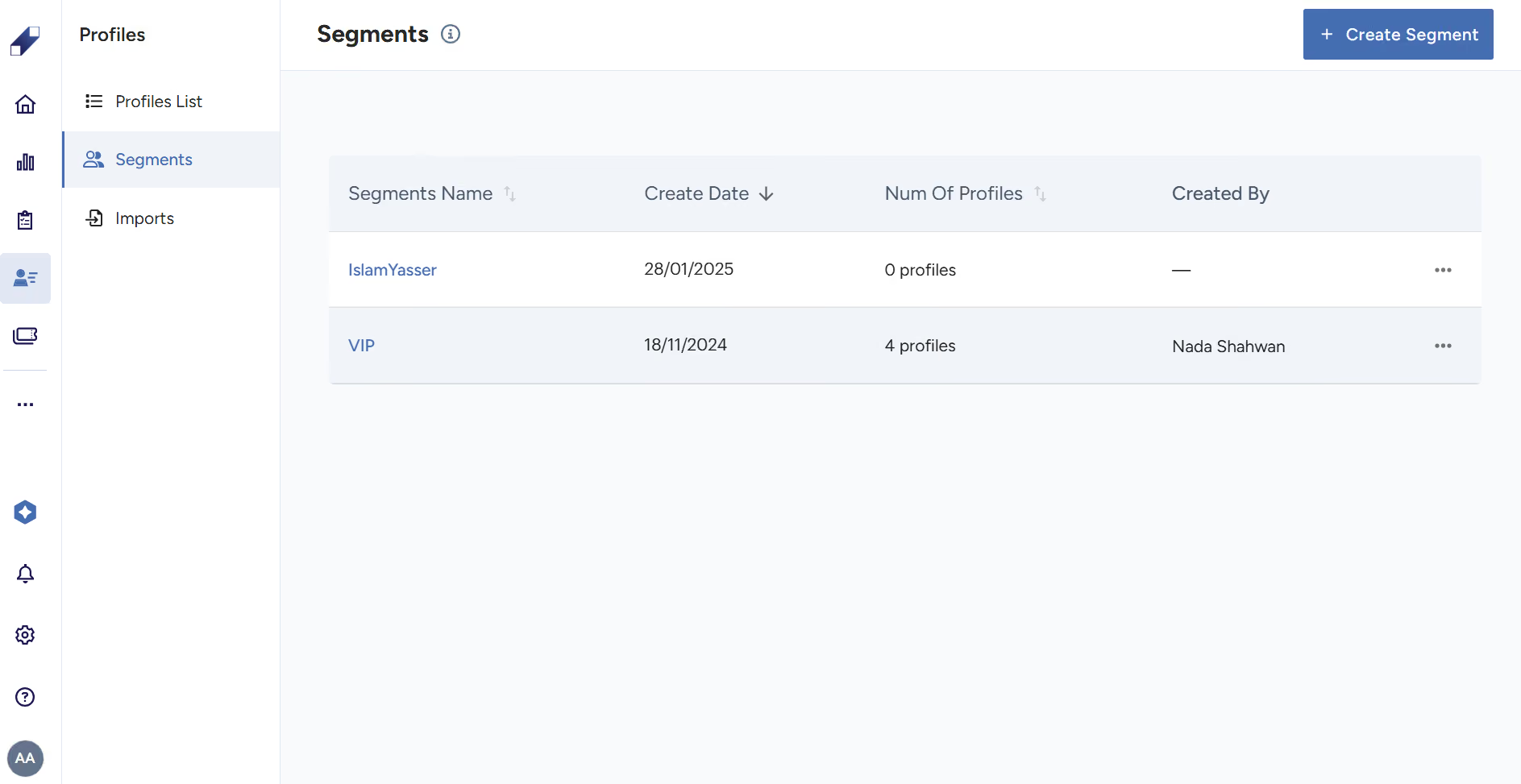
Segments are created within Profiles by defining a segment name and manually assigning selected profiles to it. Profiles are added from the Profile List.
When you select a segment, the platform displays the complete list of profiles assigned to it. This gives immediate visibility into the exact customers in that group, allowing you to review, validate, and manage the audience from a single view.
Managing Segments
Segments can be modified as business needs change. You can add profiles to a segment or remove them at any time. Segments can be renamed when objectives shift. Segments can be deleted when they are no longer needed.
Adding or removing a profile from a segment does not alter the underlying customer record. The segment is an organizational layer on top of existing data.
When to Use Segments
Segments are most useful when teams need to focus on specific subsets of customers rather than reviewing the entire profile base. Common use cases include grouping customers by campaign participation, segmenting by product or service line, isolating customers by region or market, tracking specific cohorts over time for retention analysis, and organizing VIP or high-value accounts for dedicated attention.
For further assistance contact Lucidya Support.
Frequently asked questions
Define a segment name and manually assign profiles to it from the Profile List. Adding profiles to a segment does not change the underlying customer records.
Yes. A single profile can belong to multiple segments at the same time, allowing flexible organization across different business objectives.
Yes. Profiles can be added or removed, and the segment can be renamed or deleted at any time as business needs evolve.
No. Removing a profile from a segment only removes the association. The customer record remains intact in Profiles.
Filters are temporary views that narrow the data displayed on screen. Segments are persistent named groups of profiles that can be reused across workflows and analysis over time.