
.svg)


Understanding OmniServe Analytics
A reference guide to OmniServe Analytics covering Inbox, SLA, and Agents Analytics views and the metrics each one tracks to measure team performance and service quality.
OmniServe Analytics gives teams structured visibility into how engagements are handled across the inbox. Metrics are organized into three analytics views, Inbox Analytics, SLA Analytics, and Agents Analytics, each designed to surface different aspects of team performance and service quality.
All analytics views support date range filtering so you can compare performance across different time periods and track trends over time.
Inbox Analytics
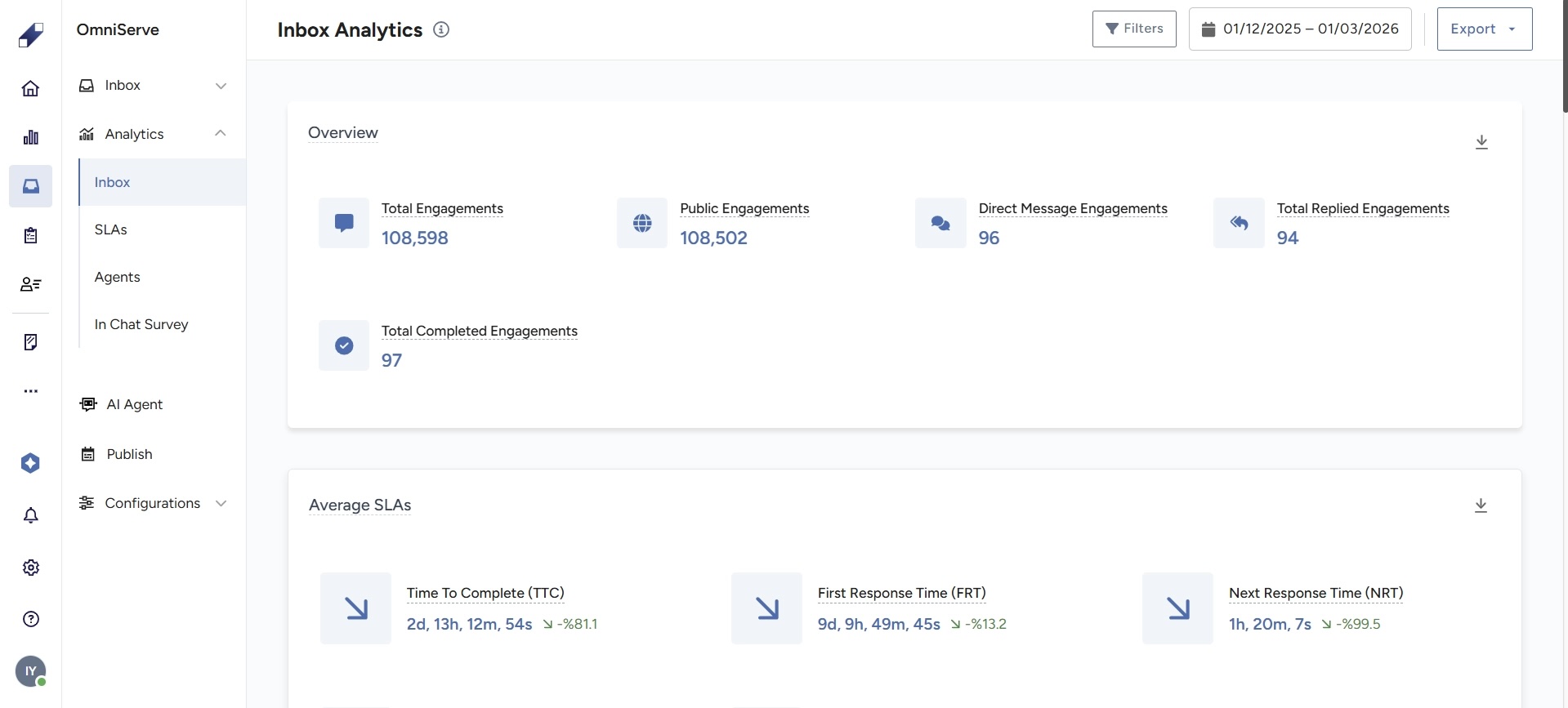
Inbox Analytics provides a snapshot of overall engagement activity within the selected date range. The following metrics are available.
Core engagement indicators:
Total Engagements: the total number of interactions recorded across all connected channels, including comments, replies, mentions, chats, reviews, and calls.
Total DMs: the total number of direct message conversations received.
Total Comments: the total number of public comments received across connected social channels.
Replied Engagements: the number of engagements that received at least one agent response.
Completed Engagements: the number of engagements marked as Complete within the selected period.
Trend and efficiency metrics:
Engagements Over Time: a time-series view of incoming engagement volume across the selected date range.
Completed Engagements Over Time: a time-series view of how many engagements were resolved over the selected period.
Average SLAs: the average values for Time to Completion (TTC), First Response Time (FRT), Next Response Time (NRT), and Total Unassigned Time (TUT) across all engagements.
Average Handle Time (AHT): the average time agents spend actively working on an engagement from first response to completion.
Workload distribution:
Engagement Distribution Over Routings: shows how incoming engagements are distributed across your configured routing rules, helping you evaluate whether routing conditions are balanced.
Engagements Completed by Teams: shows how completed engagements are distributed across teams, giving visibility into each team's contribution.
SLA Analytics
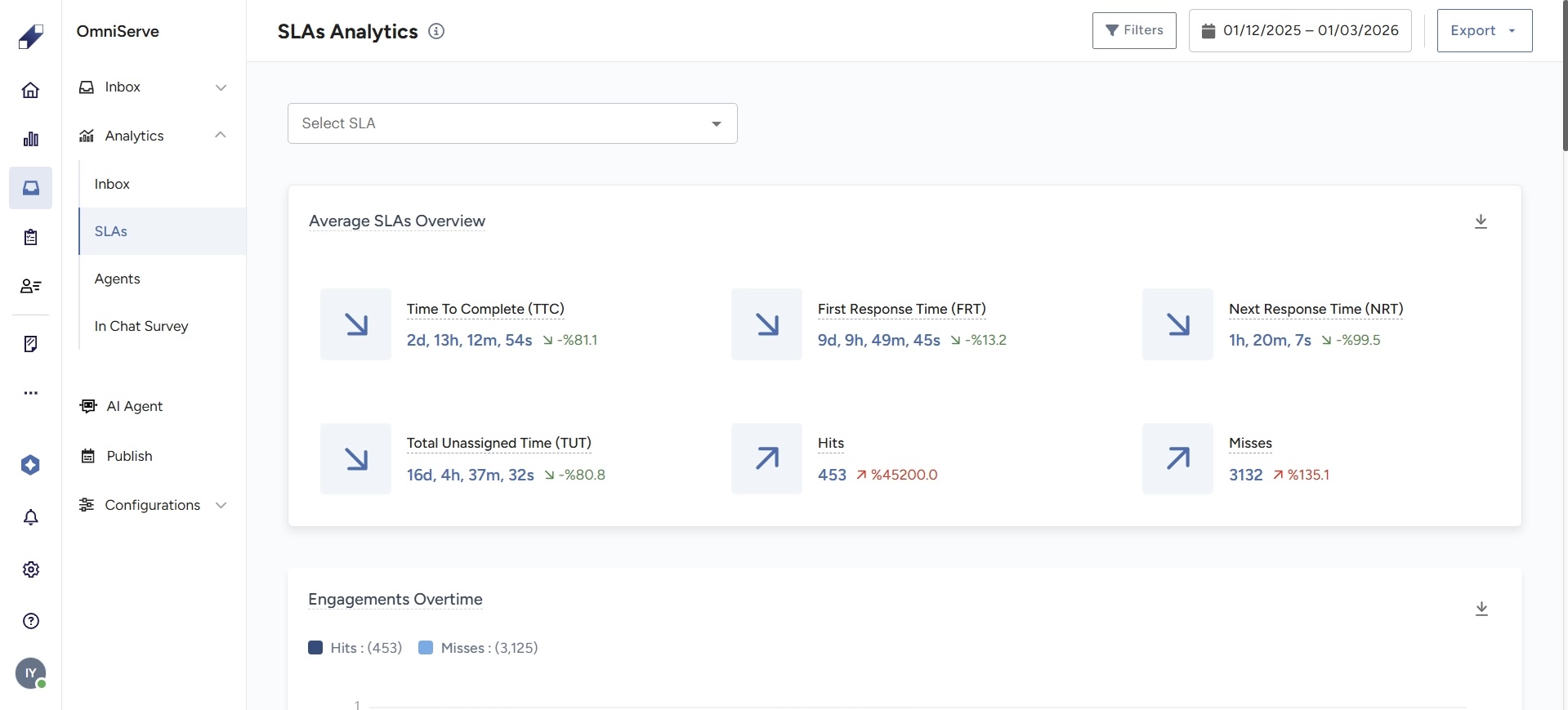
SLA Analytics focuses on service level compliance across all engagements. It measures whether your team is meeting defined response, assignment, and resolution targets.
Core SLA metrics:
Average FRT (First Response Time): the average time from when an engagement is received to the first agent reply.
Average NRT (Next Response Time): the average time between agent replies in direct message threads.
Average TTC (Time to Completion): the average time from the first customer message to final resolution.
Average TUT (Total Unassigned Time): the average time engagements spend without an assigned agent.
Compliance tracking:
Hits: engagements where SLA targets were met within the expected timeframe.
Misses: engagements where response, assignment, or completion exceeded the allowed time.
Monitoring the balance between hits and misses helps identify performance gaps and detect recurring delays before they become systemic.
Trend indicators:
Hit or Miss Engagements Over Time: a time-series view showing how SLA compliance fluctuates across the selected period.
SLAs Time Distribution: shows the spread of response and resolution times to identify whether delays are concentrated or distributed evenly.
Agents Analytics
Agents Analytics provides visibility into individual agent performance across productivity, availability, SLA compliance, and customer satisfaction.
Productivity and availability:
Agent Status Overview: shows the current and historical availability status of each agent (Available, Unavailable, Offline).
Agent Inbox Performance: tracks how each agent manages their assigned engagements, including volume handled and completion rates.
SLA compliance per agent:
Average FRT: per-agent first response time.
Average NRT: per-agent next response time.
Average TTC: per-agent time to completion.
Hits and Misses: per-agent SLA compliance count.
Compliance Rate: the percentage of engagements where the agent met SLA targets.
Customer satisfaction:
Agents CSAT Score: the average customer satisfaction score per agent, collected from post-engagement surveys.
Agents CSAT Score Over Time: a time-series view showing how each agent's satisfaction score trends across the selected period.
Together these metrics give team leaders the data to benchmark agent performance, identify coaching opportunities, and track improvement over time.

For further assistance contact Lucidya Support.
Frequently asked questions
Average Handle Time (AHT) measures the time an agent actively spends working on an engagement. Time to Completion (TTC) measures the total elapsed time from the first customer message to final resolution, which may include time the engagement was waiting, unassigned, or pending a customer reply.
A Hit means the engagement met all applicable SLA targets within the defined timeframes. A Miss means at least one SLA target, whether first response, next response, or completion, was exceeded.
The analytics views support date range filtering. For team-level and agent-level breakdowns, use the Engagement Distribution Over Routings, Engagements Completed by Teams, and per-agent metrics in Agents Analytics.
CSAT scores come from post-engagement surveys sent to customers when a conversation is marked as Complete. The survey can be configured to send automatically or manually. See How to Configure User Guidance and Conversation Closure Settings for the AI Agent for survey setup details.
Analytics reflect data within the selected date range and update as new engagements are processed. For real-time monitoring of active conversations, use the OmniServe Inbox directly.