
.svg)


How to View User Activity Logs in Lucidya
Learn how to access and filter the Activity Log in Lucidya to track user actions across products by date, feature, and user for security and compliance audits.
The Activity Log lets administrators track user actions across the Lucidya platform in near real time. You can see which features were accessed, what changes were made, who made them, and when, across all products and users in your organization.
Before You Start
You need Manager permission for the General Settings module to access the Activity Log.
Step 1. Access the Activity Log
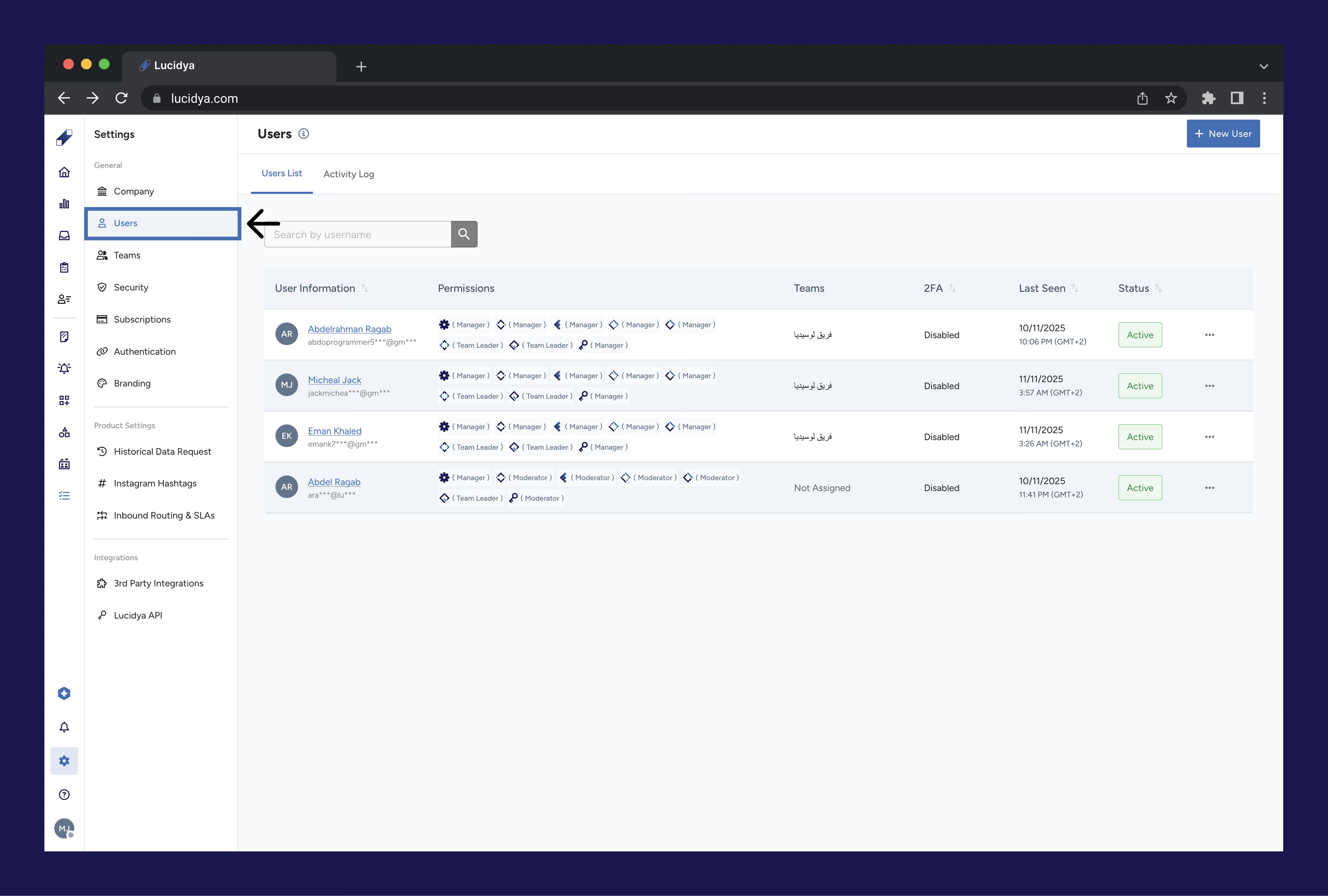
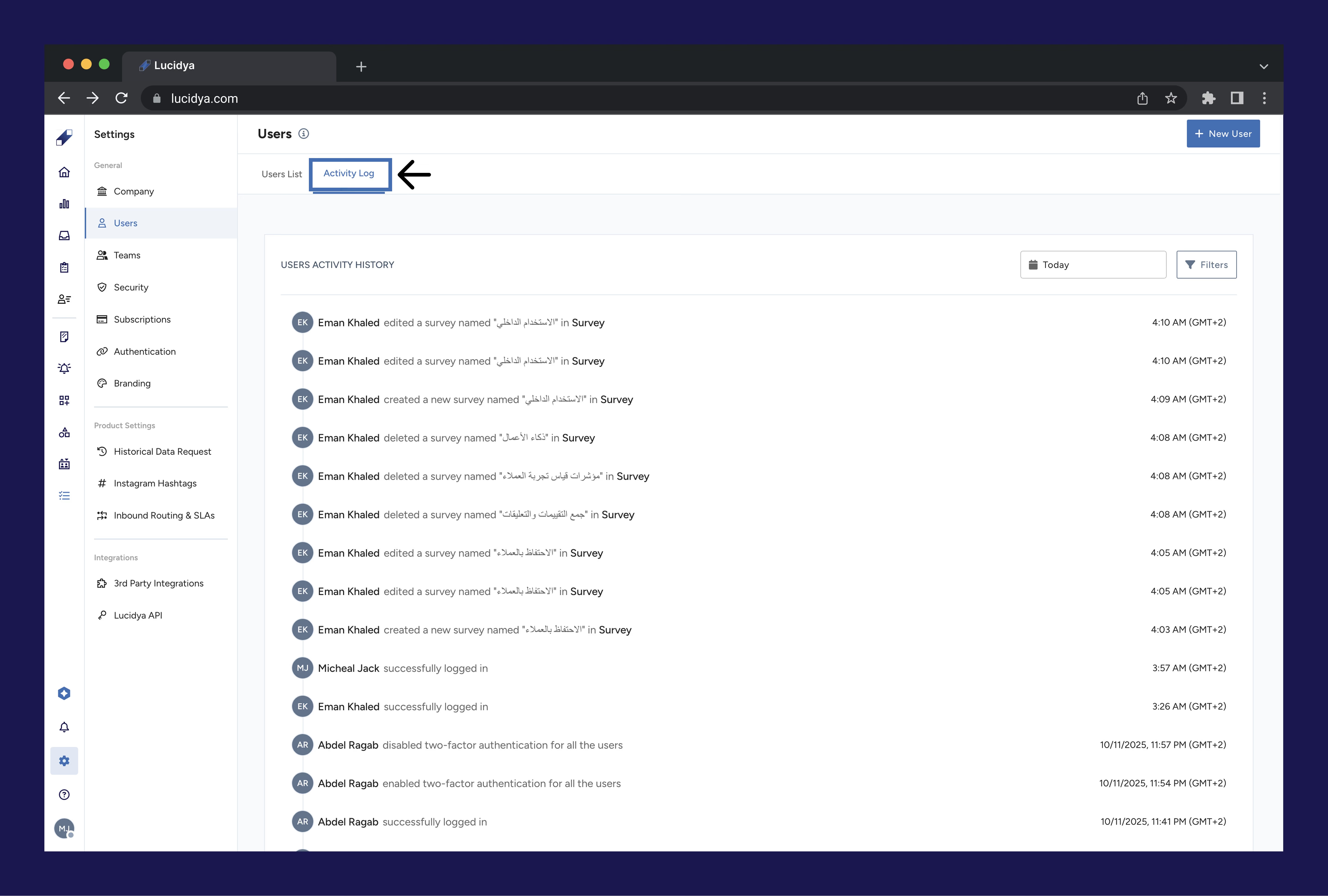
Click the Settings icon at the bottom of the left sidebar. Click Users under the General section. Click the Activity Log tab on the Users page.

Step 2. Filter Activity History
Use the following filters to narrow down the activity log to what you need.
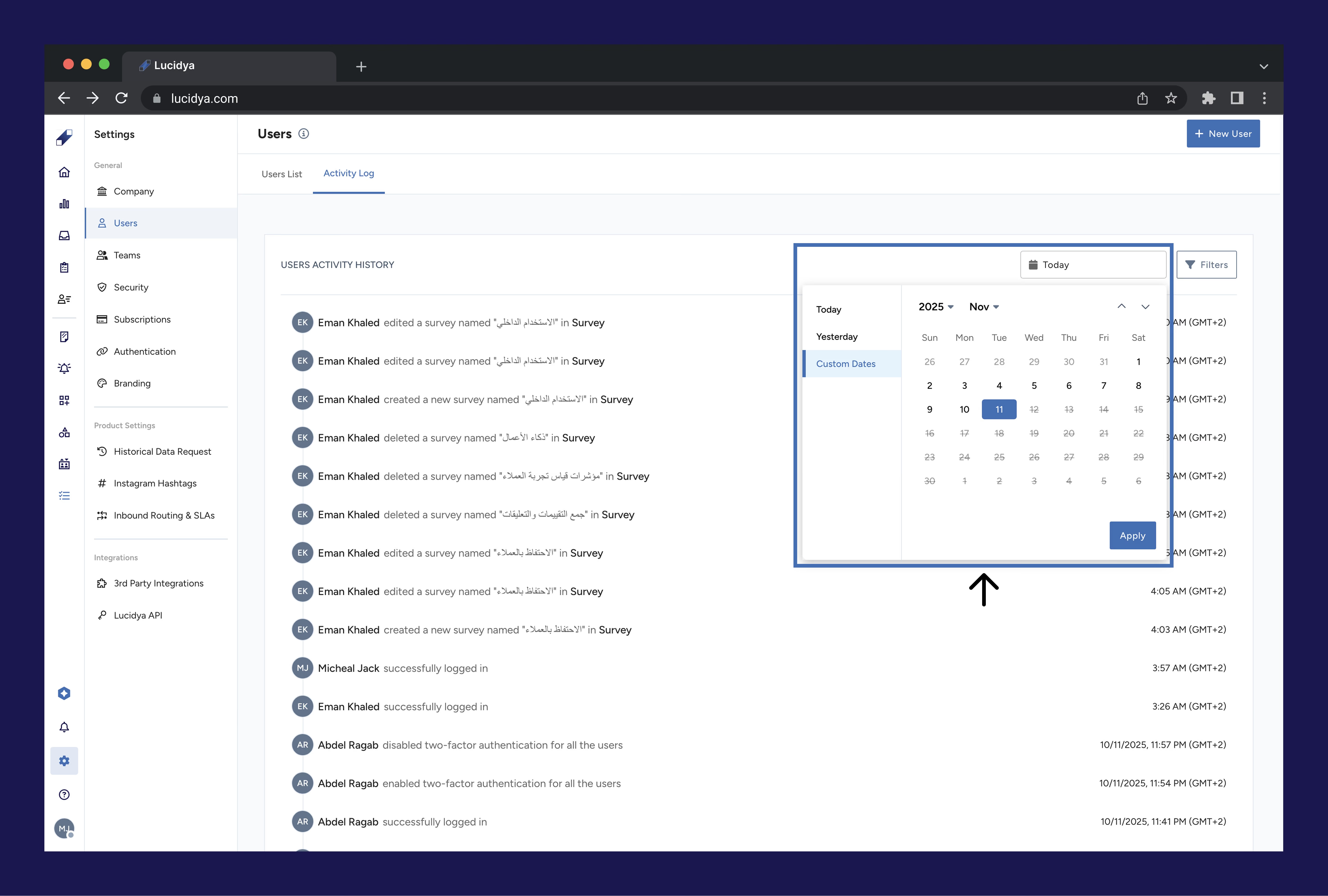
Custom Date: select a specific date range using From and To date fields. You can also select Yesterday or Today for quick access to recent activity.
Features and Products: click the Filters button and select specific products or features such as Survey, Profiles, or Social Listening to see activity related to those areas only.
Users: filter by specific users to see all actions performed by a particular person.
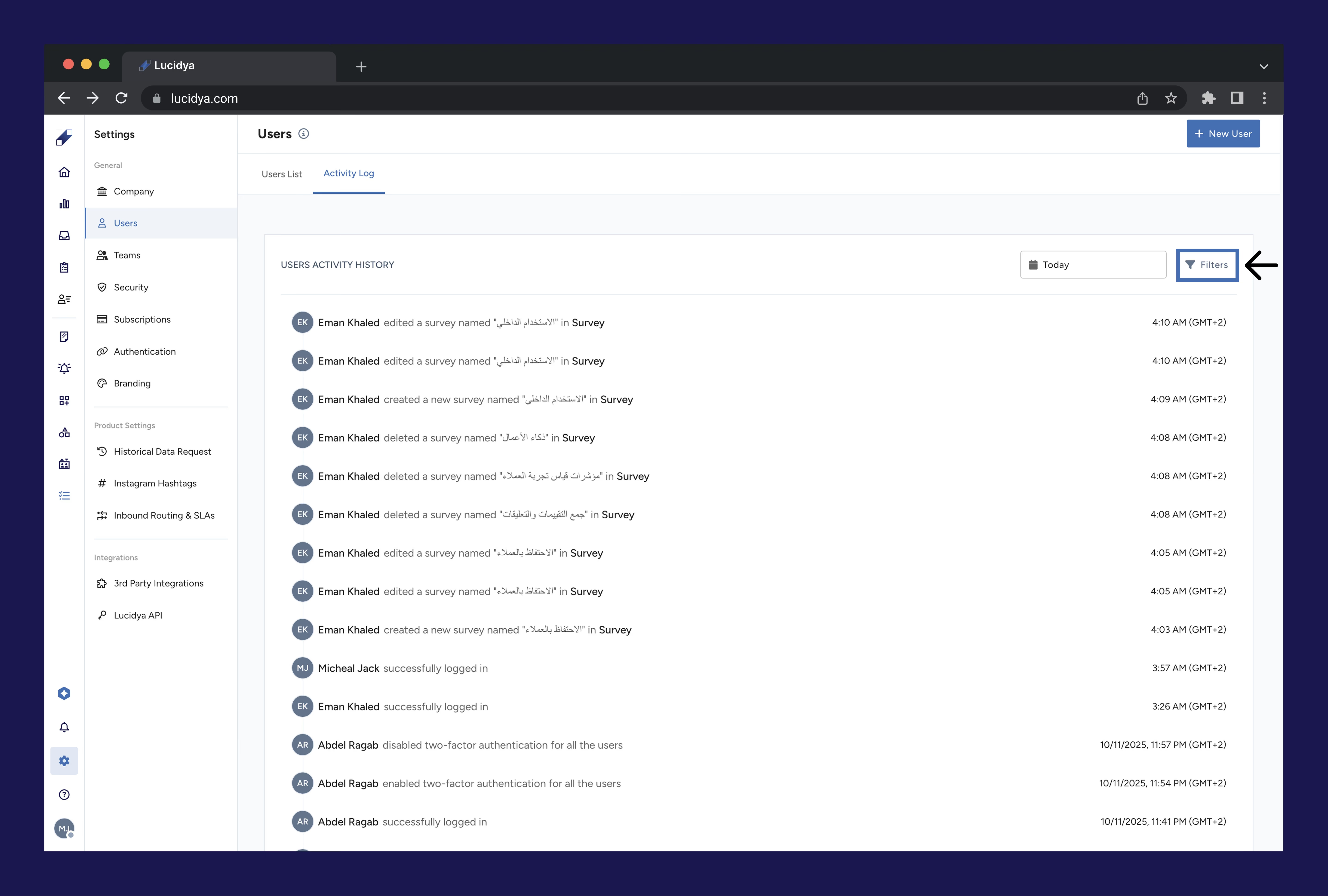
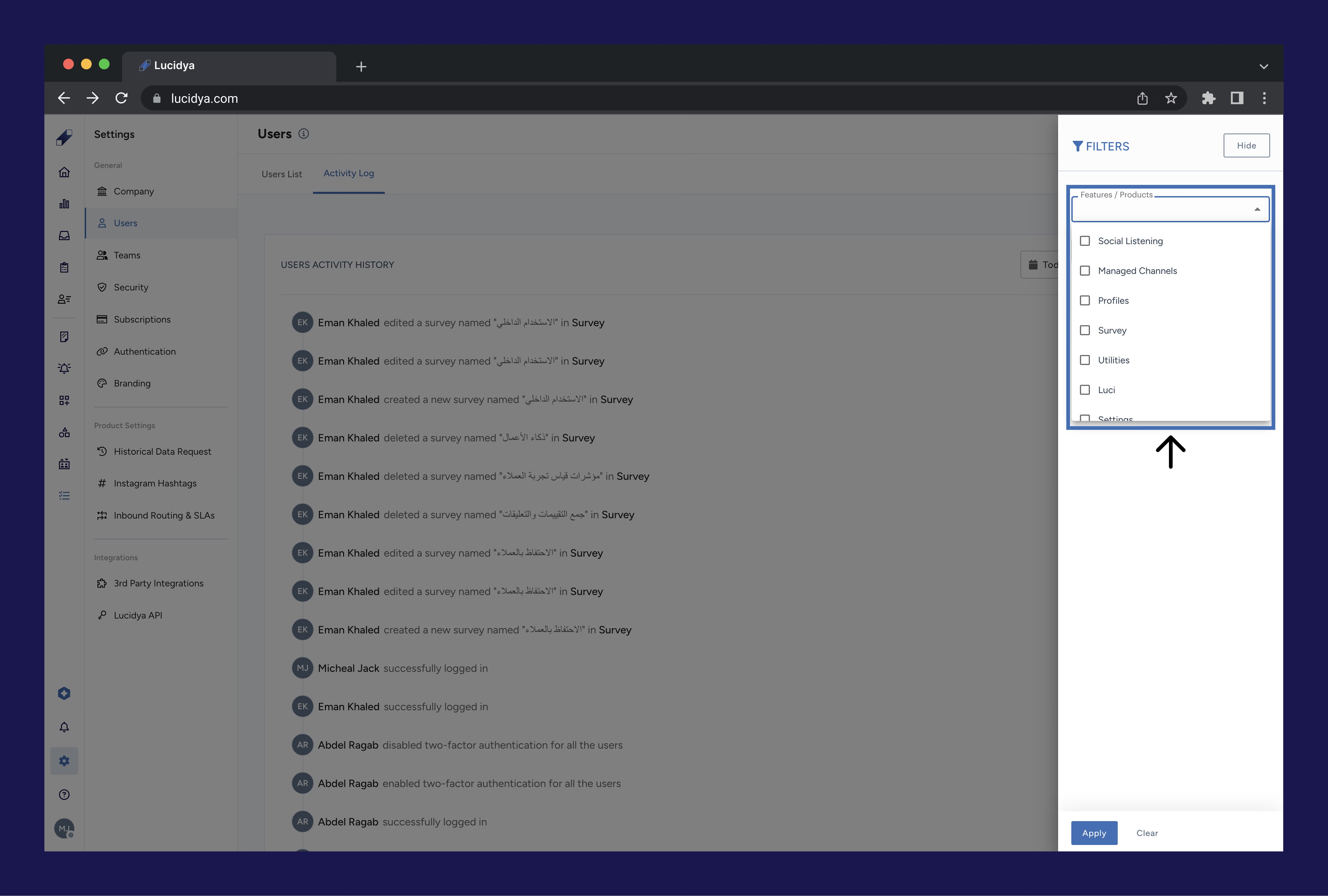
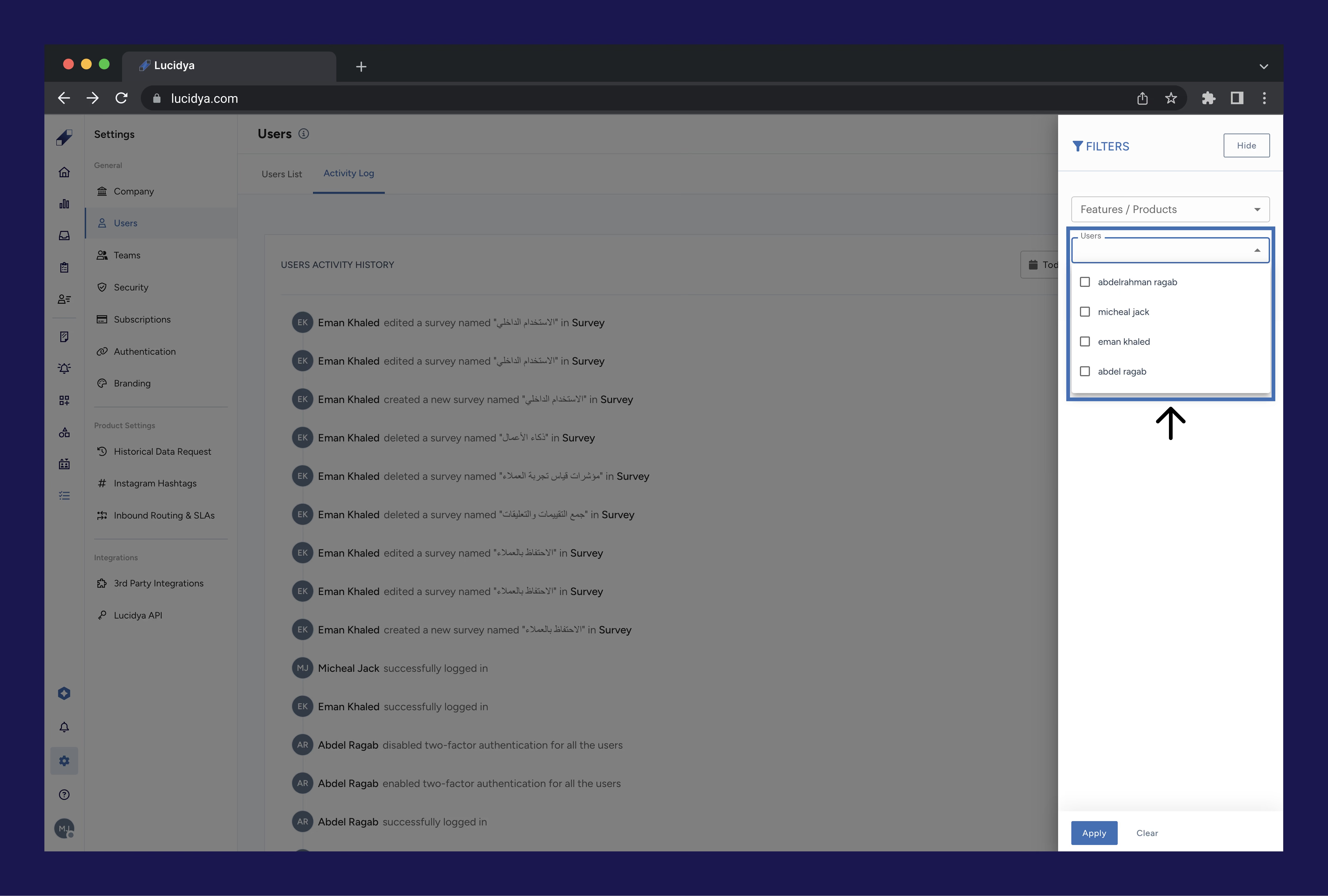
All filters can be combined and used simultaneously for more precise results.
For further assistance contact Lucidya Support.
Frequently asked questions
The log shows which features or products were accessed, what changes were made including create, edit, delete, and login actions, who performed the action, and when it occurred.
Only users with Manager permission for the General Settings module can access the Activity Log.
Yes. Activity performed by users who have been removed from the system still appears in the log with their user information, ensuring a complete audit trail.
Not currently. You can access and filter the log at any time within the platform but export is not yet available.
Log entries are captured in near real time as users perform actions. Refresh the page to see the latest activity.
Use the custom date filter to select any From and To date range. Log retention depends on your subscription plan. Contact your Customer Success Manager if you need a guaranteed retention period for compliance purposes.