
.svg)


How to Delete a Monitor in Lucidya
Learn how to permanently delete a monitor and remove it from all dashboards in Lucidya.
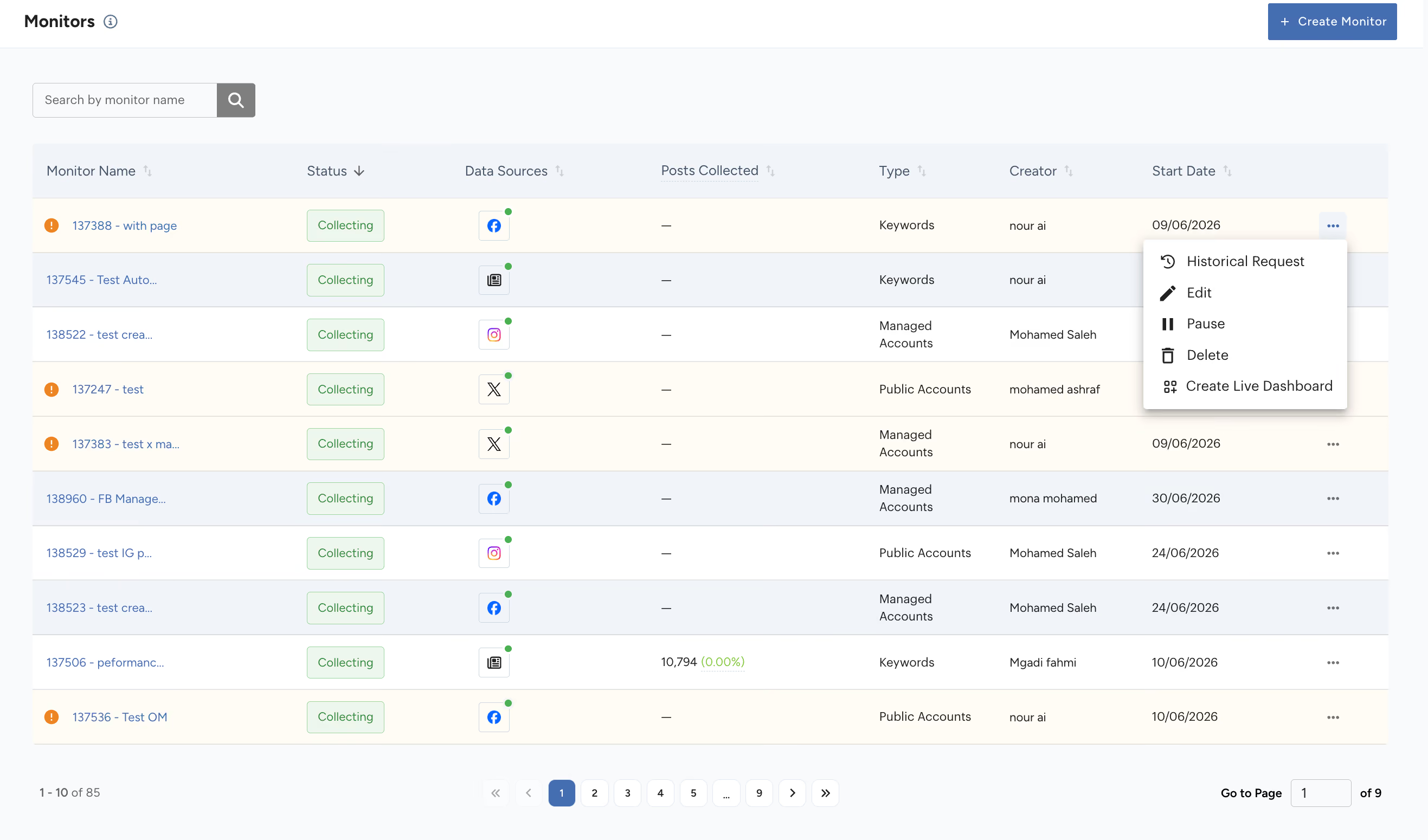
To delete a monitor in Lucidya, go to Monitor → Monitors, click the three-dot icon next to the monitor, select Delete, then confirm in the dialog that appears. This permanently removes the monitor, its collected data, and its connection to any dashboards.
Deleting a monitor permanently removes it from your account, including all its tracked data and configurations. This action cannot be undone. This process applies to monitors created for supported data sources, including Facebook, Instagram, X (Twitter), TikTok, and others.
Before You Start
Make sure you no longer need the monitor or its historical data. If you're unsure, consider pausing the monitor instead of deleting it.
Step 1. Locate the Monitor
Go to Monitor → Monitors from the left navigation and find the monitor you want to delete.
Step 2. Delete the Monitor
- Click the three-dot icon (⋯) at the end of the monitor's row.
- Select Delete.
- In the confirmation dialog, click Confirm Delete.
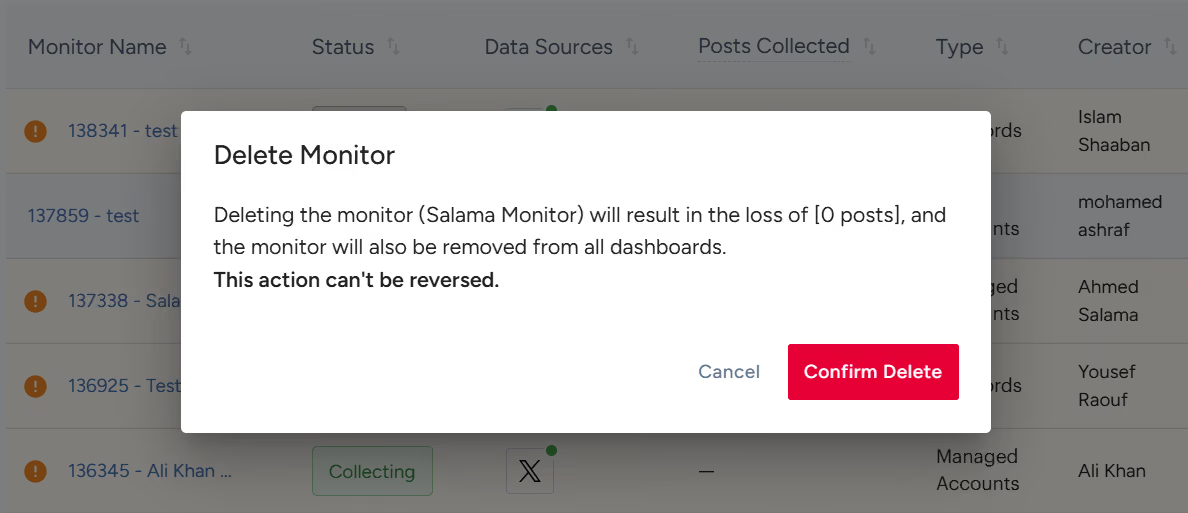
The monitor is removed immediately and will no longer appear in your monitors list.
Note: Deleting a monitor results in the loss of all its collected posts, and it will be removed from all dashboards. If you want to stop data collection without losing your settings, pause the monitor instead.
For further assistance, contact Lucidya Support.
Frequently asked questions
No. Deleting a monitor is permanent and cannot be undone. All collected posts and configurations are lost.
The monitor is automatically removed from every dashboard it was linked to.
Pausing stops new data collection while keeping the monitor, its settings, and its historical data intact, so it can be resumed later. Deleting permanently removes the monitor and all of its collected data with no way to restore it.
This process applies to monitors created for any supported data source, including Facebook, Instagram, X (Twitter), and TikTok.
Pause it. Pausing preserves your historical data and settings in case you need the monitor again, while deleting removes everything permanently.