
.svg)


Google Maps / GMB Monitor: Supported Input Formats
A reference for the accepted input formats when setting up a Google Maps or Google My Business monitor, including supported URL types and location ID formats.
Google Maps and Google My Business (GMB) have a different account input model compared to other review platforms. Instead of a direct account URL, Lucidya supports three input types to identify a business location.
Supported Input Types
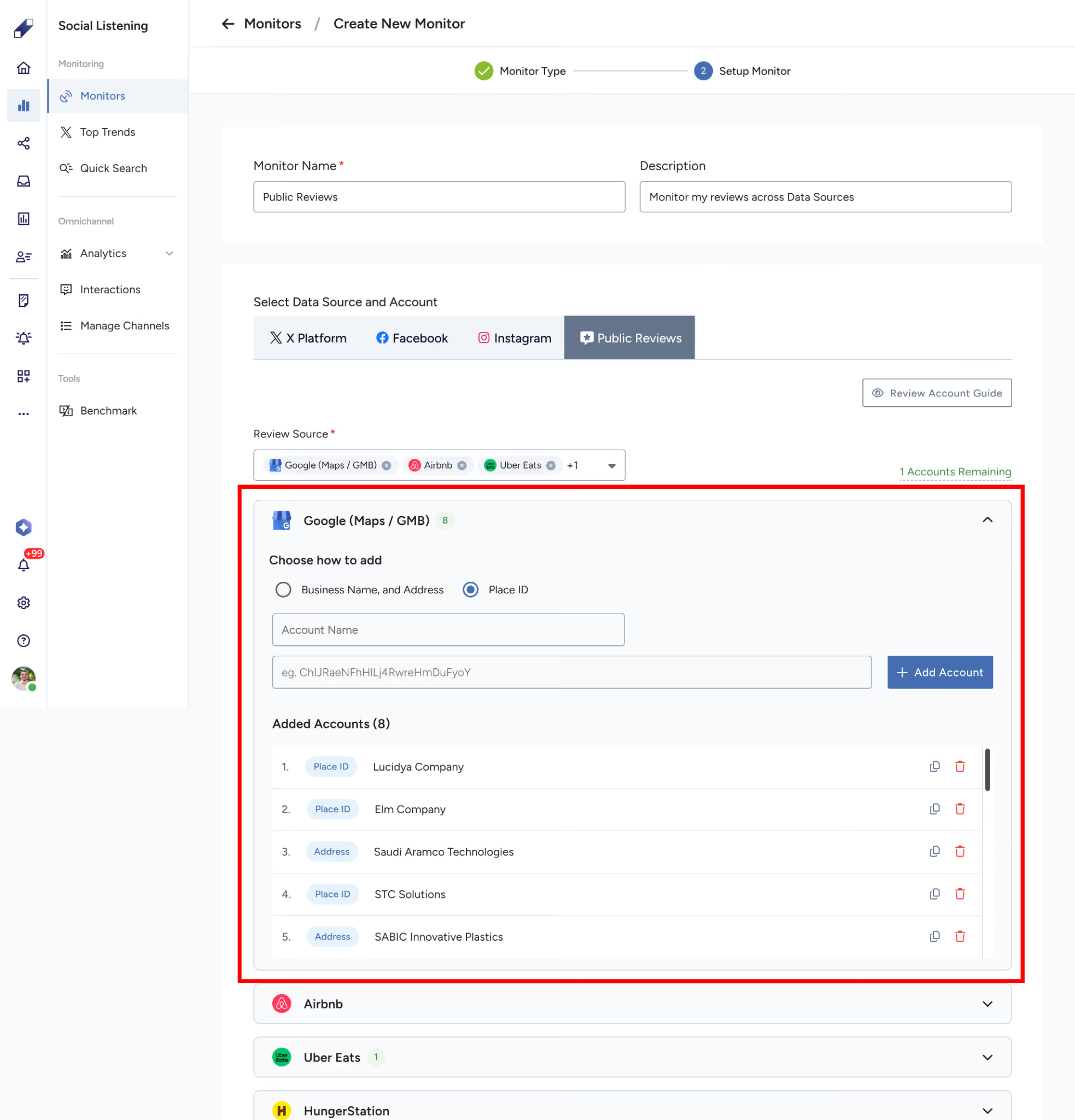
Place ID
A unique identifier assigned by Google to every business or location on Google Maps. It's the most reliable input type as it directly and unambiguously identifies a single location.
Example: ChIJN1t_tDeuEmsRUsoyG83frY4
To find a Place ID, use the Google Place ID Finder.
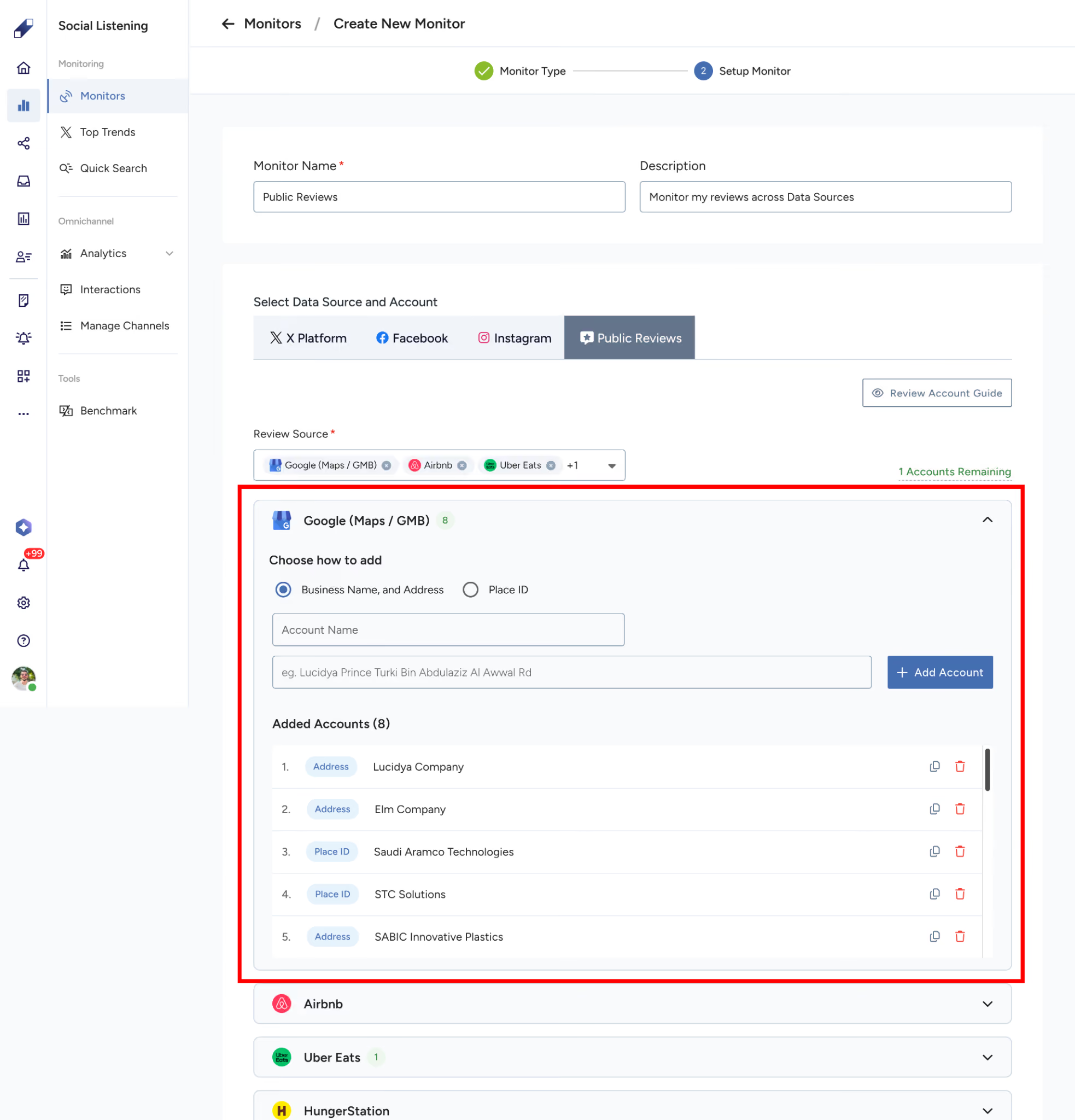
Business Name
The name of the business as it appears on Google Maps. Use this when you don't have a Place ID available. For best results, use the exact business name as listed on Google Maps.
Example: Starbucks Riyadh Park
Address Query
A location-based search query combining the business name and address. Useful when the business name alone returns multiple results.
Example: Starbucks, King Fahd Road, Riyadh, Saudi Arabia
Which Input Type Should I Use?
Place ID is always the recommended option when available. Business Name and Address Query are alternatives that rely on Google's search matching, which may return unexpected results if the query is ambiguous or if the business has multiple branches. If the collection doesn't return the expected location, switch to Place ID.
Edge Cases
- If a business has multiple branches, using Business Name or Address Query may match more than one location. Use Place ID to target a specific branch.
- If the Place ID has changed (this can happen when Google updates a listing), collection may fail. Re-add the profile using the updated Place ID from the Place ID Finder.
- If a business is permanently closed on Google Maps, the profile will be collected as long as the listing exists, but no new reviews will appear.
- If a business listing is unverified or removed by Google, collection for that profile will stop. The monitor will flag the profile accordingly.
For further assistance, contact Lucidya Support.
Frequently asked questions
Place ID is a unique Google identifier that unambiguously points to a single location. Business Name and Address Query rely on Google's search matching and can return multiple results if the query isn't specific enough.
Using Business Name or Address Query may match more than one branch. Use Place ID to target the specific branch you want to monitor.
The profile continues to be collected as long as the listing still exists, but no new reviews will appear.
Collection for that profile stops, and the monitor flags the profile accordingly.