
.svg)


How Assignment Works in OmniServe
Learn how assignment works in OmniServe through routing-based or manual methods, including when to use each approach to direct incoming engagements to the right agent or team.
Assignment in OmniServe defines how incoming engagements are directed to a responsible agent. It establishes clear ownership across all interactions so every engagement is handled intentionally and nothing goes unattended.
Assignment happens in two ways: routing-based or manual. Both achieve the same outcome but differ in how the decision is made.
Routing-Based Assignment
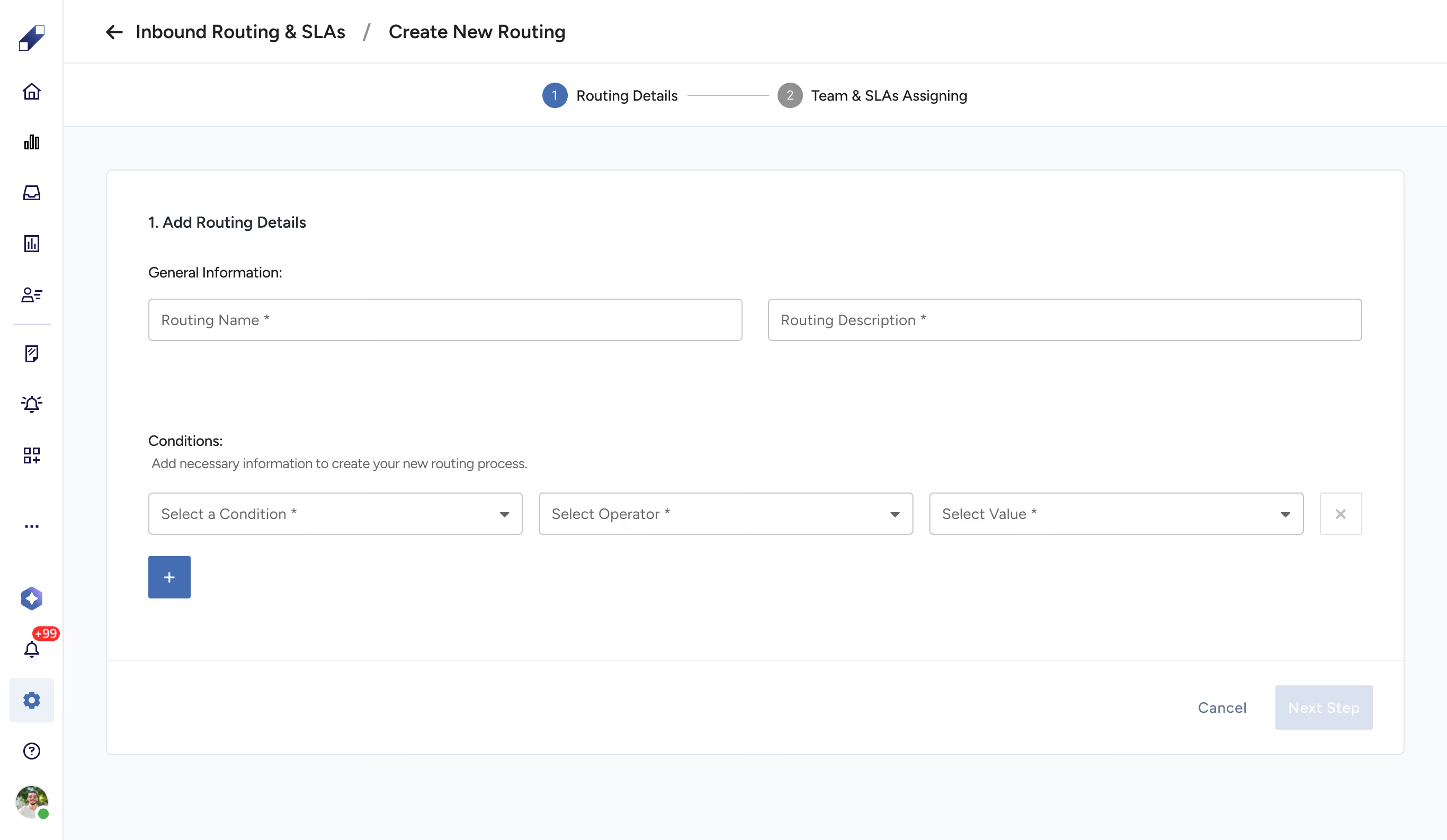
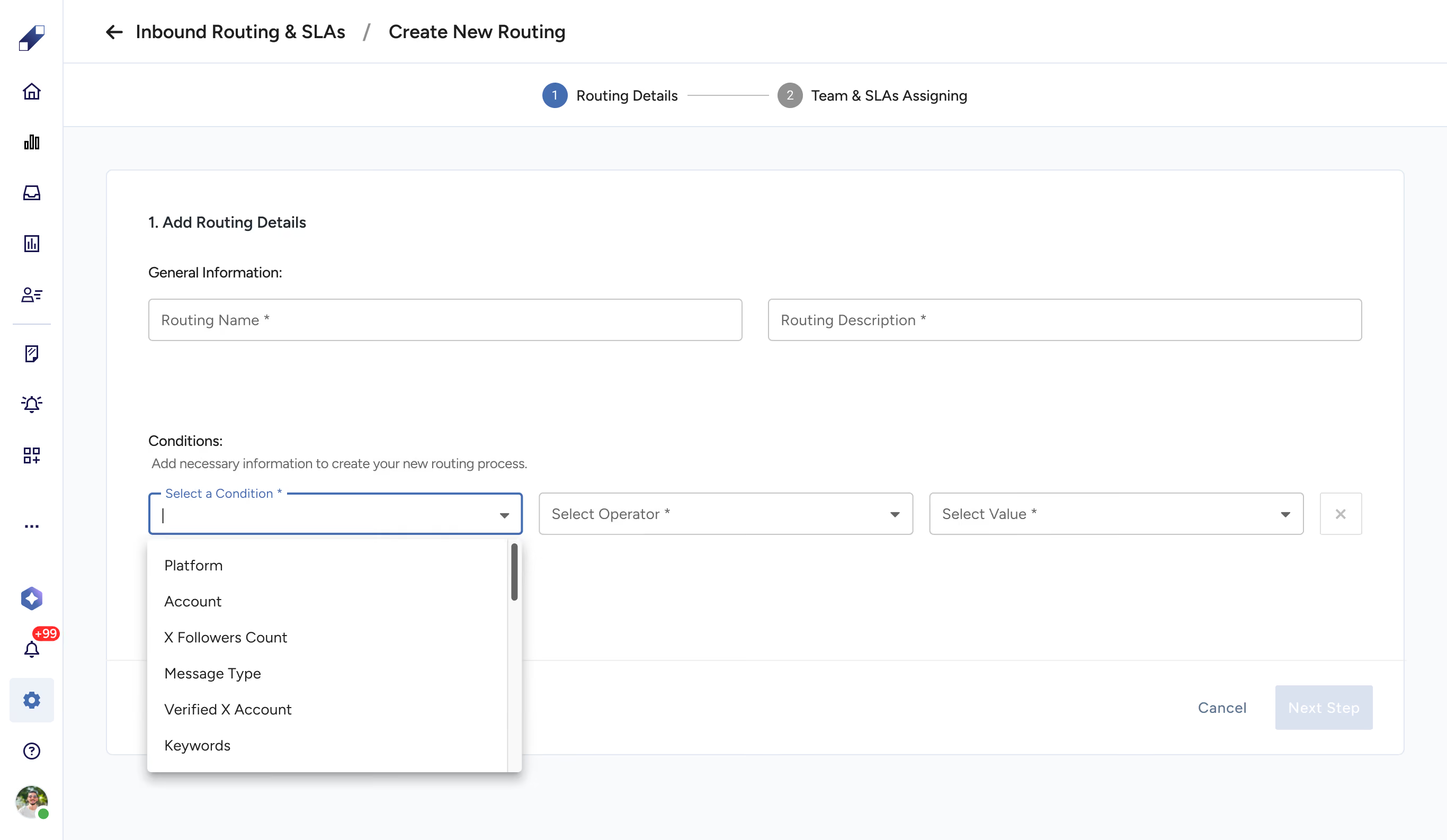
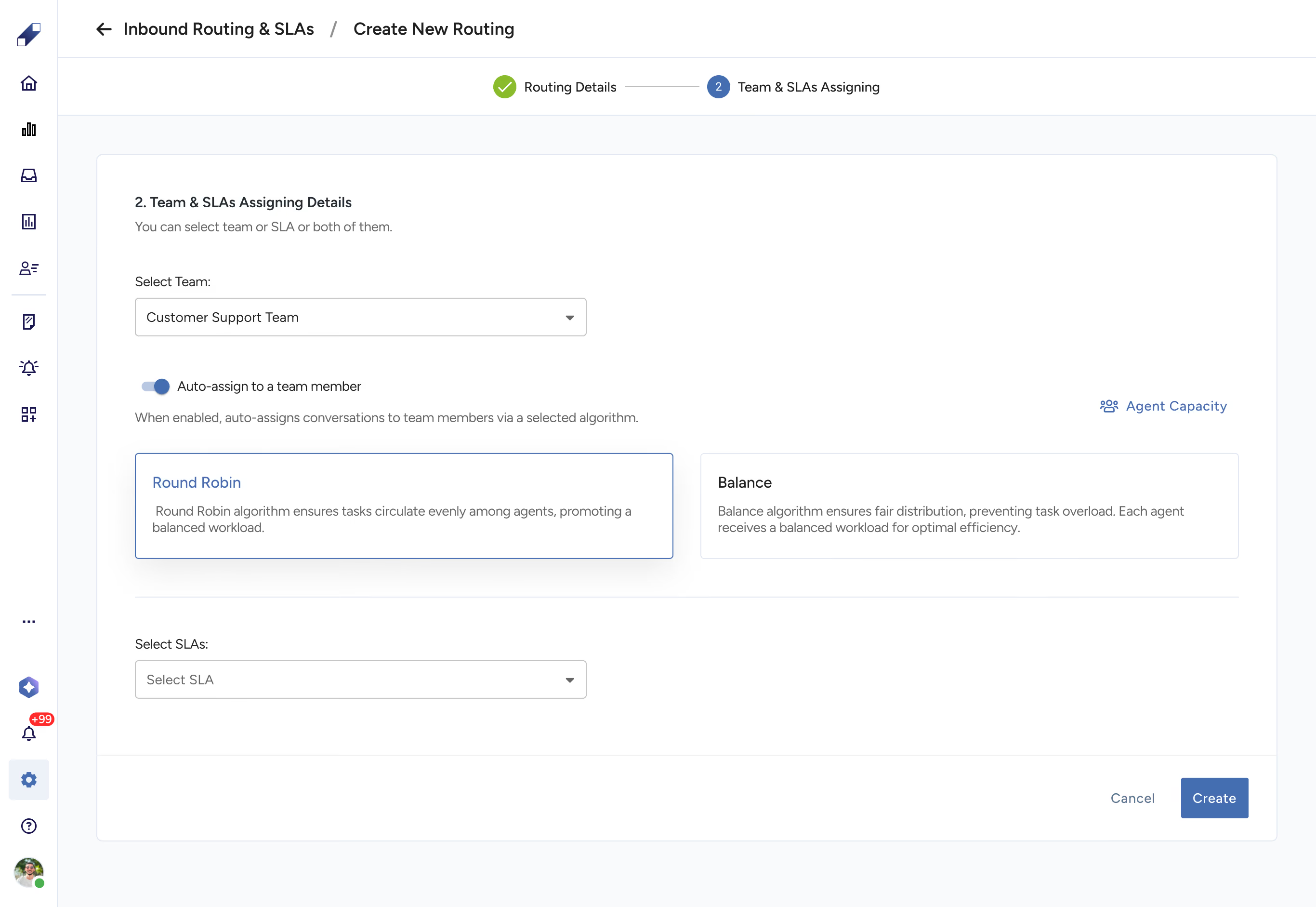
Routing-based assignment automatically directs incoming engagements to the appropriate agent or team based on predefined conditions. Engagements are assigned as they enter the system without requiring any manual intervention. This approach supports consistent, structured handling at scale.
To set up routing conditions, go to OmniServe Settings → Inbound Routing. From there you can create a new routing rule, configure the conditions that trigger it, and define which team or agent receives the engagements that match.
Manual Assignment
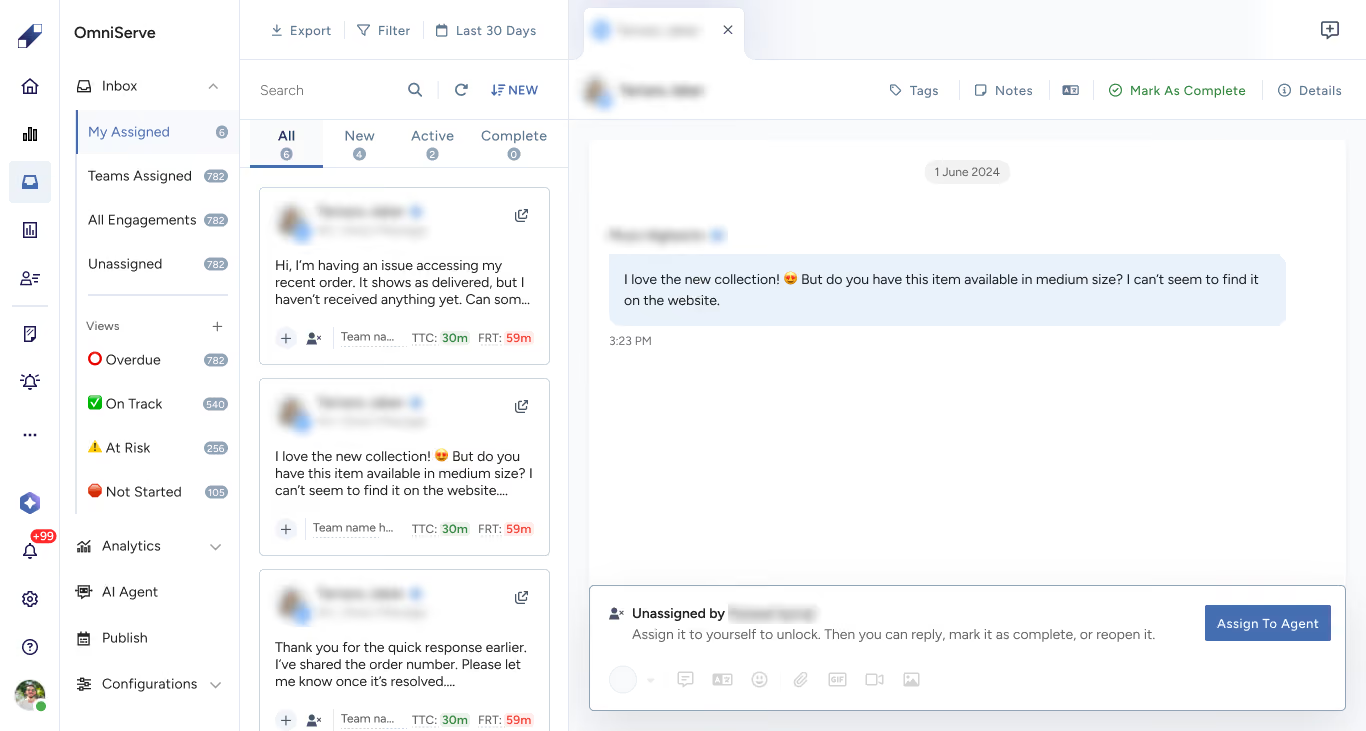
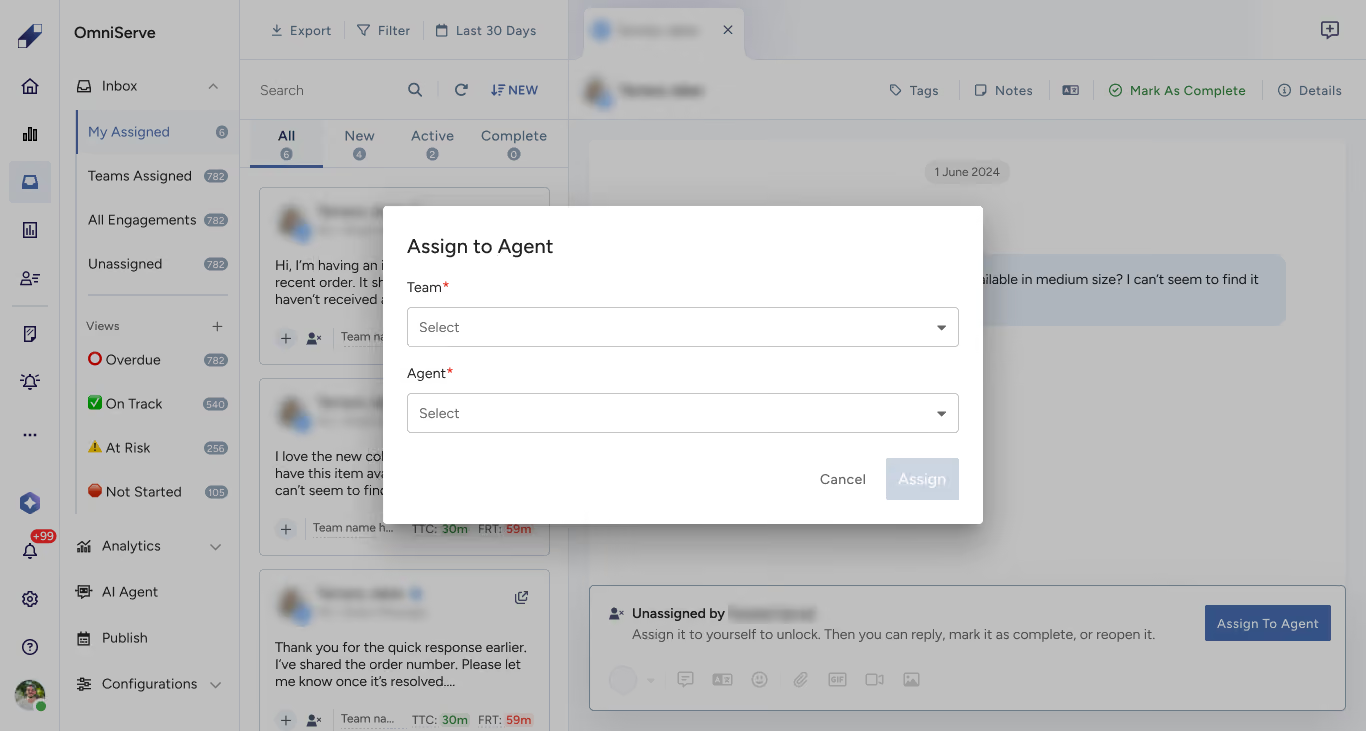
Manual assignment lets a user assign an engagement directly based on context and judgment. This is useful when predefined rules do not apply, for example when handling a sensitive issue, an edge case, or a VIP customer. To manually assign an engagement, open it in the inbox and select the agent from the Assign to Agent option.
When to Use Each
Use routing-based assignment when you want automatic and consistent assignment, when you need to assign based on platform, channel, or source conditions, or when your team handles high volumes of incoming engagements.
Use manual assignment when you need real-time control over who handles a conversation, when you are dealing with sensitive or exceptional cases, or when your team is small and workflows are flexible enough to handle assignment case by case.
For AI Agent-specific routing configuration, see How to Configure Inbound Routing for the AI Agent.
For further assistance contact Lucidya Support.
Frequently asked questions
Yes. Routing handles incoming engagements automatically, but any conversation can still be manually reassigned at any point by a user with the appropriate permissions.
It will appear in the Unassigned tab in the OmniServe Inbox. From there it can be manually assigned to an agent or team.