
.svg)


Profiles Overview
An overview of Lucidya Profiles, the platform's Customer Data Platform that centralizes identity, engagement, sentiment, and survey data into a unified profile per customer.
Profiles is Lucidya's Customer Data Platform. It centralizes customer information into a single structured profile per customer, creating a unified view that evolves continuously as customers interact across channels. Profiles organizes data captured from Managed Channels in OmniServe and Surveys, and serves as the data foundation that supports segmentation, analysis, and customer management across the platform.
Instead of storing customer interactions separately across channels, Profiles consolidates them under one record. Identity, engagement history, sentiment, and classification data all remain connected over time.
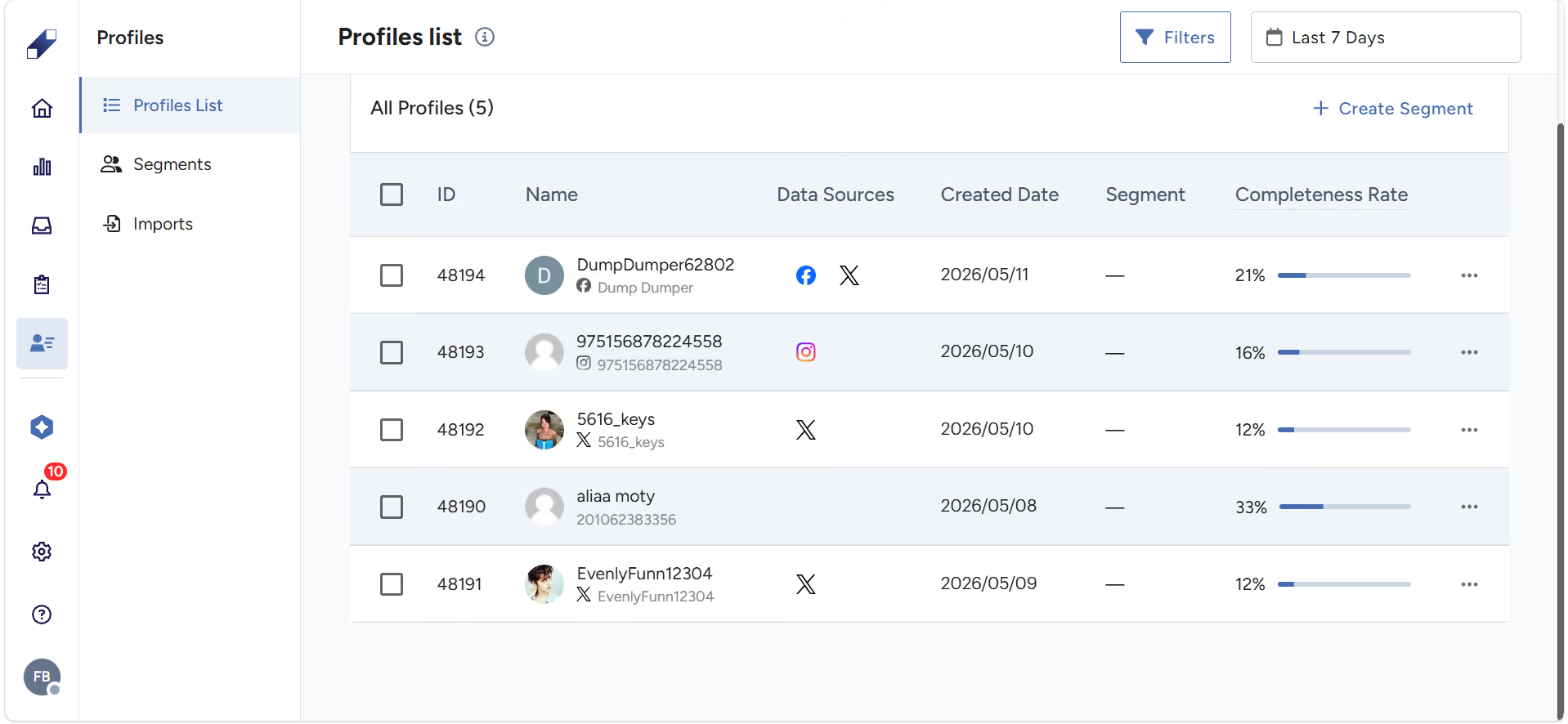
What a Profile Contains
Each customer profile is structured around a unique Profile ID (system-generated) and contains organized identity and classification data.
Profile Identification
- Profile ID (system-generated, unique per customer)
- Profile Name (required)
Identity Information
- Email address
- Phone number
- Linked social media accounts
- About section (free-text field)
Demographic and Structured Attributes
- Location
- Gender
- Dialect
- Other predefined classification fields
Interaction Data
- Engagements captured from Managed Channels in OmniServe
- Survey responses
- User activity history
Classifications
- Themes and sub-themes
- Sentiment
- Assigned segments
How Profiles Are Created and Unified
Customer profiles are created in two main ways.
- Automatic creation: profiles are created automatically when individuals interact through Managed Channels in OmniServe or complete a survey. First-time interactions create a new profile. Subsequent interactions update the existing one.
- Manual creation: profiles can also be created by importing existing customer records or by receiving customer data from external systems through APIs. Importing ensures organizations do not lose historical data when centralizing customer information. APIs allow organizations to programmatically create, update, or retrieve customer profiles and keep Profiles aligned with external CRM systems or internal databases.
When new data is added, identifiers such as email address or phone number are evaluated to determine whether a matching profile already exists. Matching data is linked to the existing Profile ID. New profiles are created only when no match is found. This prevents duplicate or fragmented profiles over time.
How Profiles Differs from a CRM
Customer Relationship Management tools primarily focus on managing customer interactions and relationships. Profiles is designed to collect, unify, and analyze customer data from multiple sources to build a more comprehensive view of customer behavior and engagement. While there is some overlap, Profiles goes beyond relationship management by adding real-time behavioral data, sentiment signals, social listening activity, and support interaction history to each customer record. The two can be used alongside each other.
How Profiles Is Used Across the Platform
Profiles serves as the shared data foundation across Lucidya. By maintaining unified and structured customer records, it enables consistent access to customer information across products and workflows.
Teams can group customers into segments for targeted analysis, track interaction patterns across channels, and support engagement workflows that rely on accurate and centralized customer data. This ensures customer information is reused reliably across the platform without duplication.
For details on grouping customers into segments, see How to Build and Use Segments in Lucidya Profiles.
For further assistance contact Lucidya Support.
Frequently asked questions
Profiles collects data from Managed Channels in OmniServe and the Survey product. Every interaction in these products either creates a new profile or updates an existing one. Profiles can also be created through API integration or CSV import.
Profiles and CRM tools serve different but complementary purposes. A CRM manages customer relationships and interactions. Profiles focuses on unifying and analyzing customer data across touchpoints for deeper behavioral and sentiment insights. The two can be used alongside each other.
Yes. When a customer interacts for the first time through OmniServe or a Survey, a new profile is created automatically. Subsequent interactions update the existing profile continuously.
When new data is added, identifiers such as email address and phone number are checked against existing profiles. Matching data is linked to the existing profile. New profiles are only created when no match is found.
Yes. Customer records can be imported via CSV or received from external systems through APIs. This ensures historical customer data is preserved when centralizing information in Profiles.
Yes. A single profile can be assigned to multiple segments simultaneously, allowing flexible organization across different business objectives.