
.svg)


YouTube Capabilities & Limitations
A reference covering what Lucidya collects from YouTube through Public Account and Keyword monitors, supported data types, collected metrics, and known limitations for brand and topic tracking.
Public Account Listening
Datasource Capabilities
An overview of YouTube data source capabilities and limitations for the Public Account Monitor.
- Source of Data: Data Vendor
- Latency: 1 hour
- Historical Data Access: Up to 30 days
- Post Types: Videos, Shorts
- Engagement Refresh Rate: Updated only at the time of insertion.
How to Set Up
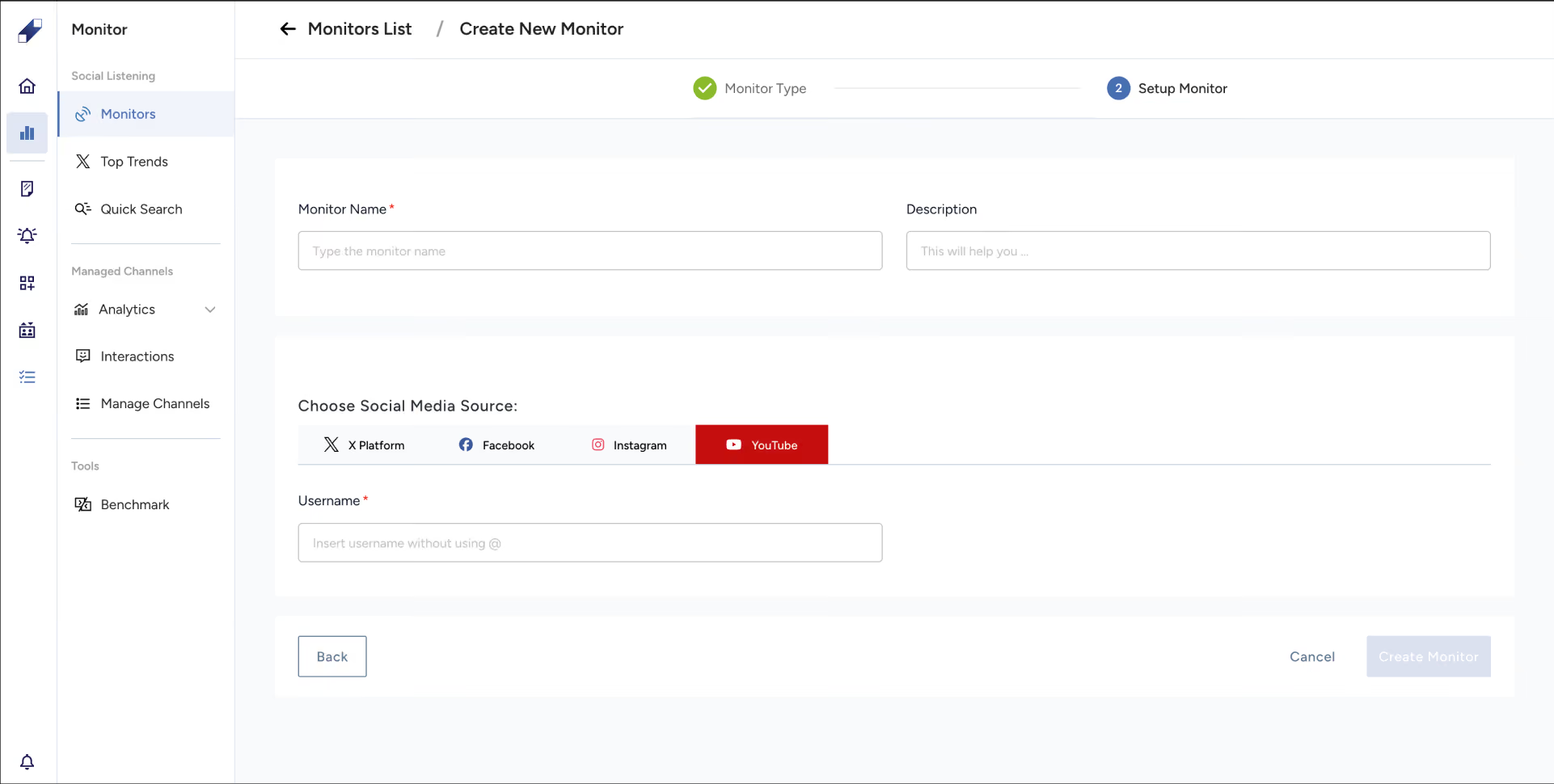
- Open Monitors from the left sidebar.
- Click the + New Monitor button.
- Select Public Account from the Monitor Type page.
- Enter a Monitor Name and add a description (optional).
- Select YouTube as your social media source.
- Add the Username for the YouTube channel and click Create Monitor.
- You'll be redirected to the account monitor page.
Keyword Search Listening
Datasource Capabilities
An overview of YouTube data source capabilities and limitations for the Keyword Search Monitor.
- Source of Data: Data Vendor
- Latency: 1 hour
- Historical Data Access: Up to 30 days
- Post Types: Videos, Shorts
- Engagement Refresh Rate: Updated only at the time of insertion.
How to Set Up
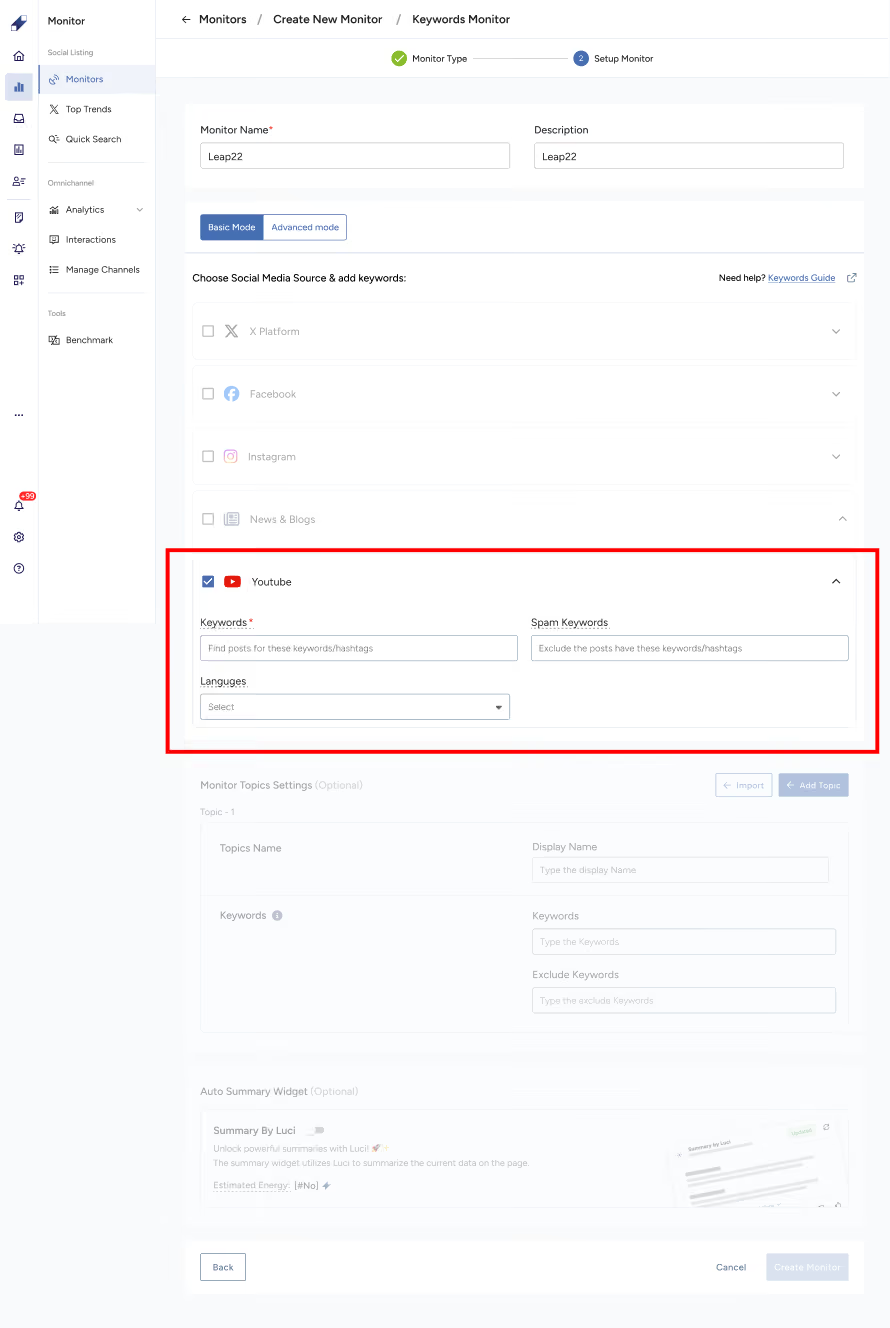
- Open Monitors from the left sidebar.
- Click the + New Monitor button.
- Select Keywords from the Monitor Type page.
- Enter a Monitor Name and add a description (optional).
- Select YouTube as your social media source.
- Add Keywords. You can use OR, NOT, AND, parentheses, quotes, and caret, maximum 30 words.
- Optionally, add Spam Keywords, maximum 30 words.
- Optionally, add Language, maximum 10 languages.
- Click Create Monitor. You'll be redirected to the monitor page.
For further assistance, contact Lucidya Support.
Frequently asked questions
No. YouTube historical data access is limited to 30 days. Content older than 30 days cannot be retrieved when setting up a new monitor.
Not currently. Comment collection for YouTube is planned for a future update.
You can use OR, AND, NOT, parentheses for grouping, quotes for exact phrases, and caret for keyword priority, up to a maximum of 30 words.
Yes, we collect based on both the video title and description.